

Available for download

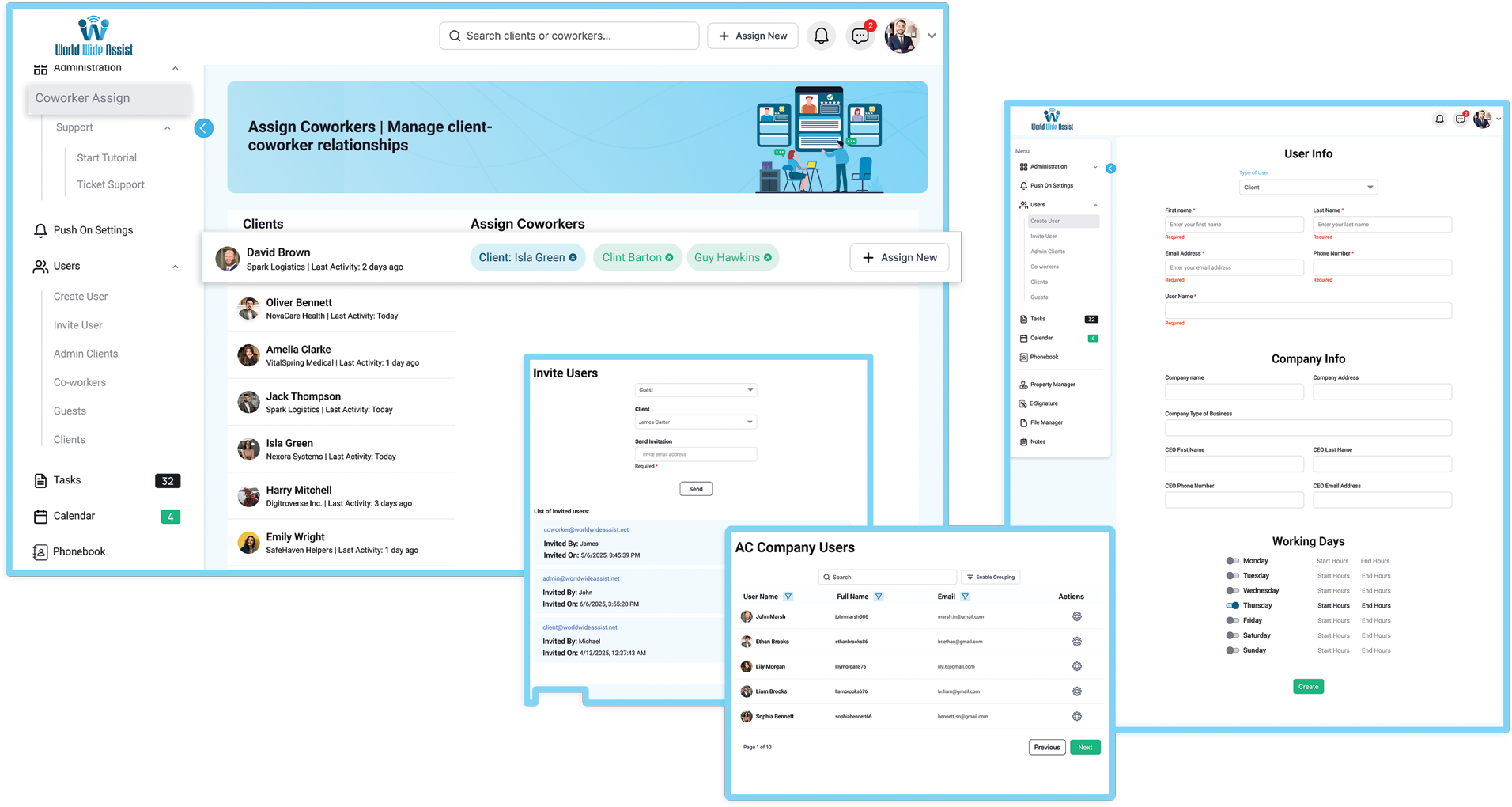
User Profiles and role management interface inside World Wide Assist

User Profiles

Give every user one of four roles: Admin-Client, Co-Worker, Client or Guest. Each role sees only what it needs, Clients never see other Clients, and the Admin-Client stays in control of who sees what.

  • Admin-Client
  • Co-Worker
  • Client
  • Guest

Manage Tasks & Files Easily

Break projects into tasks, assign responsibilities, set status and priority, and track progress in real time. Comment and share files right inside each task, and get notified of every change.

  • comments
  • file exchange
  • adding users
  • adding guests

free for up to 3 users · no credit card needed
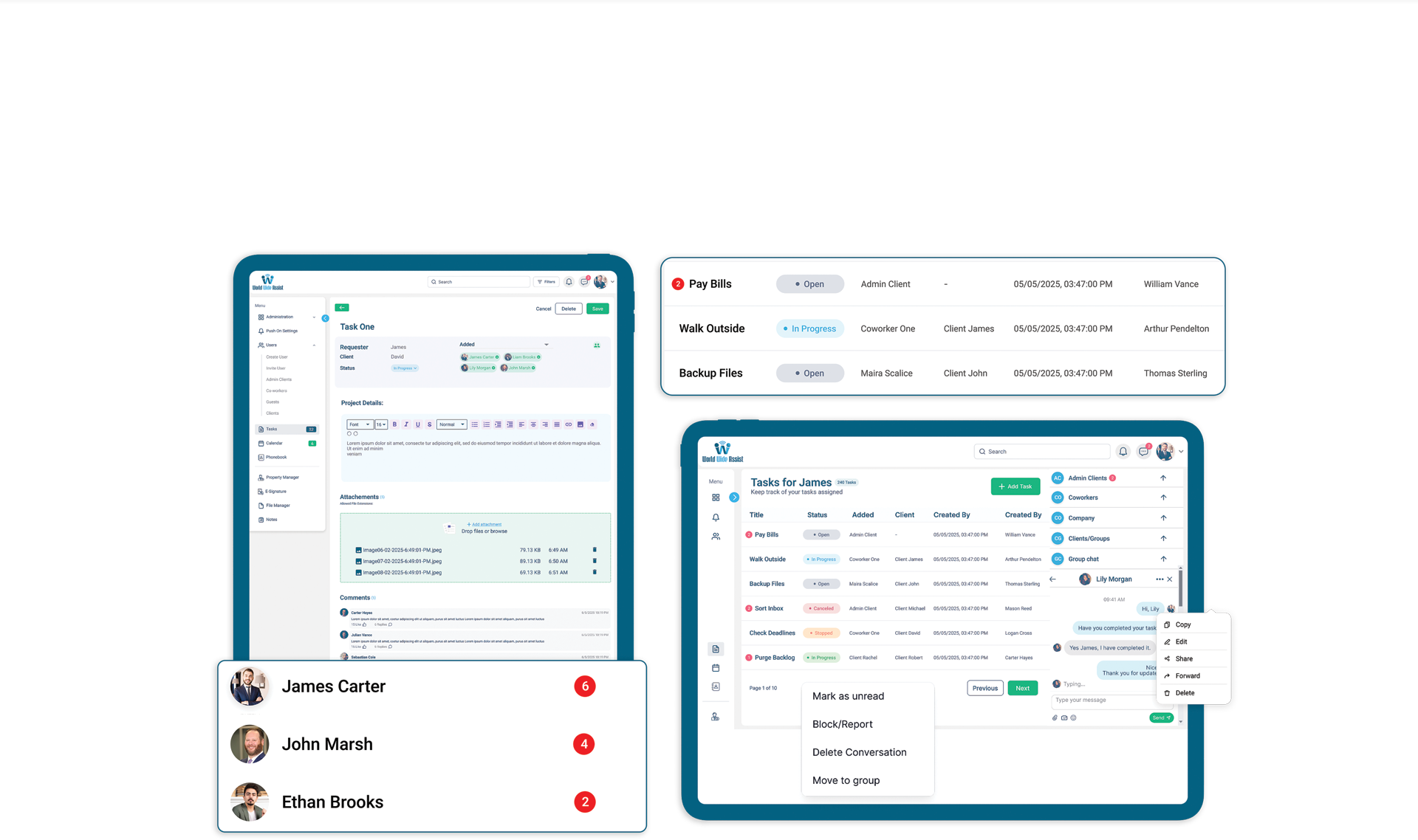
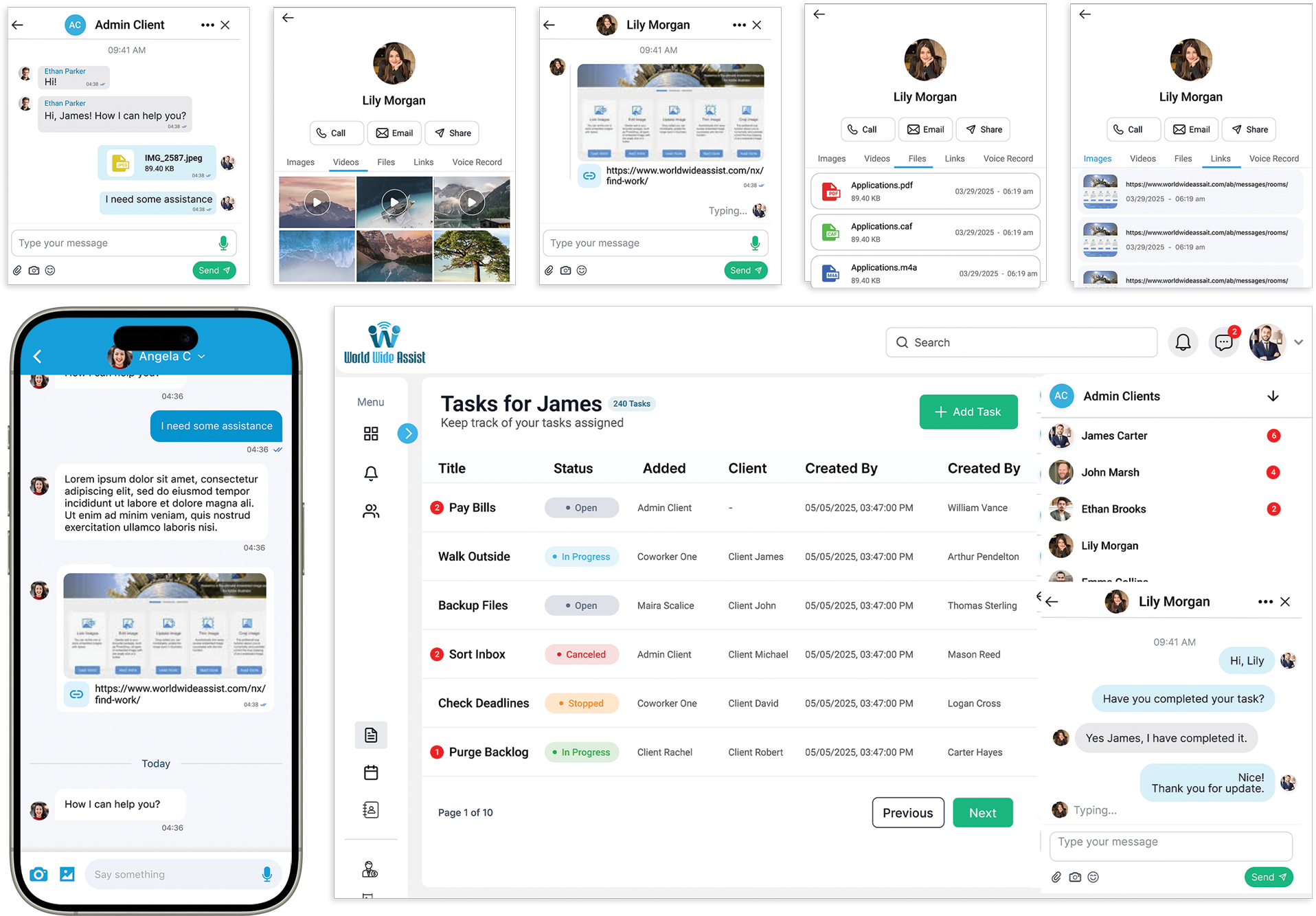
Task tracking, file sharing, and team communication board inside World Wide Assist
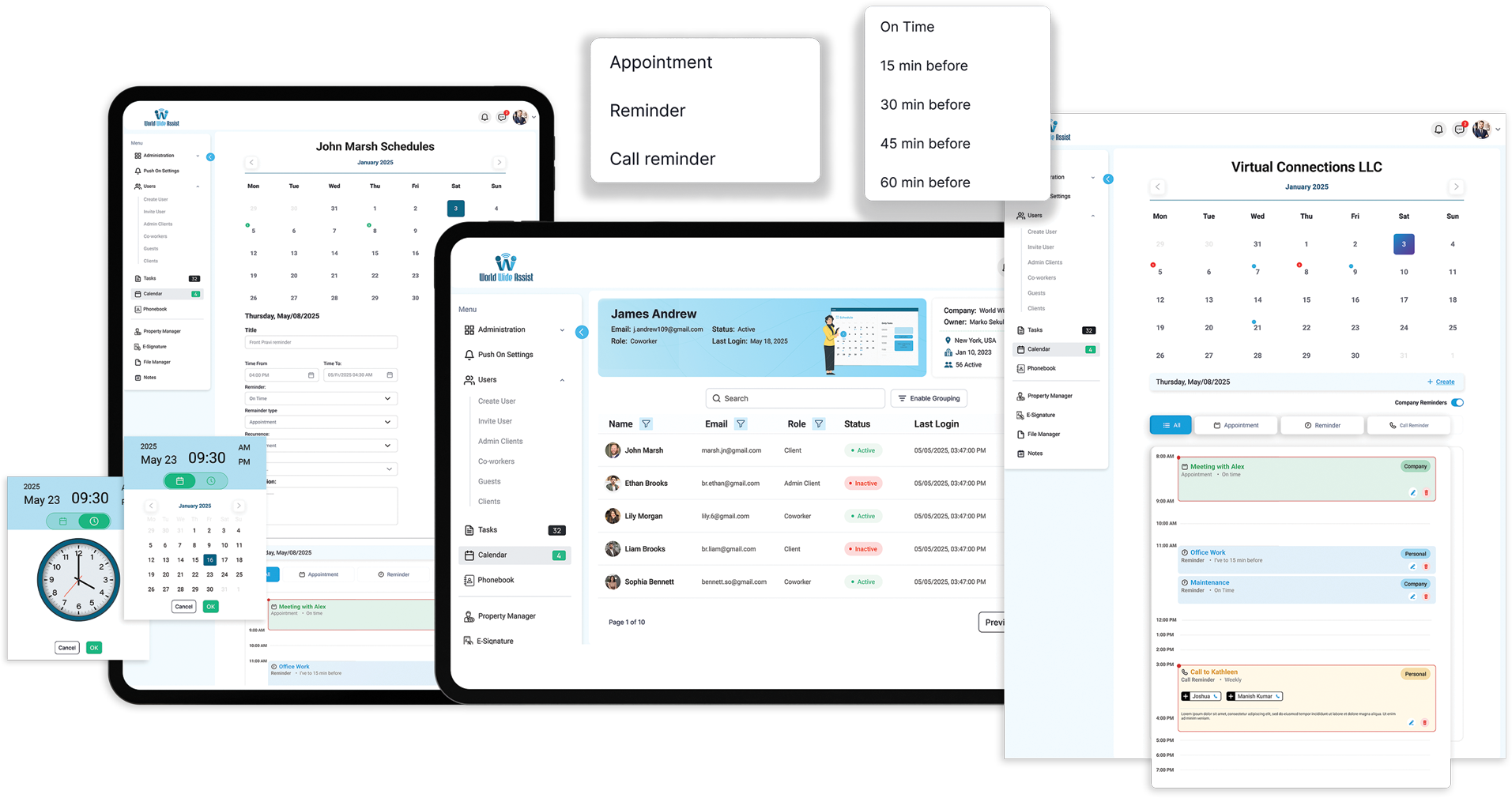
Team calendar schedule and deadline management interface in World Wide Assist

Team & Personal Calendar with Reminders

Keep one company calendar for the whole team next to your personal calendar. Set appointment, call and general reminders, repeat them daily, weekly, monthly or yearly, and get notified so you never miss a deadline.

  • call reminder
  • appointment
  • reminder

Collaborate with Real-Time Team Chat

Chat in real time one-to-one and in groups, give every client their own chat room with the Co-Workers assigned to them, share files and send voice messages, all without leaving your work.

  • Group Chat
  • file exchange
  • client chat rooms

free for up to 3 users · no credit card needed
Real-time group chat and instant messaging interface in World Wide Assist
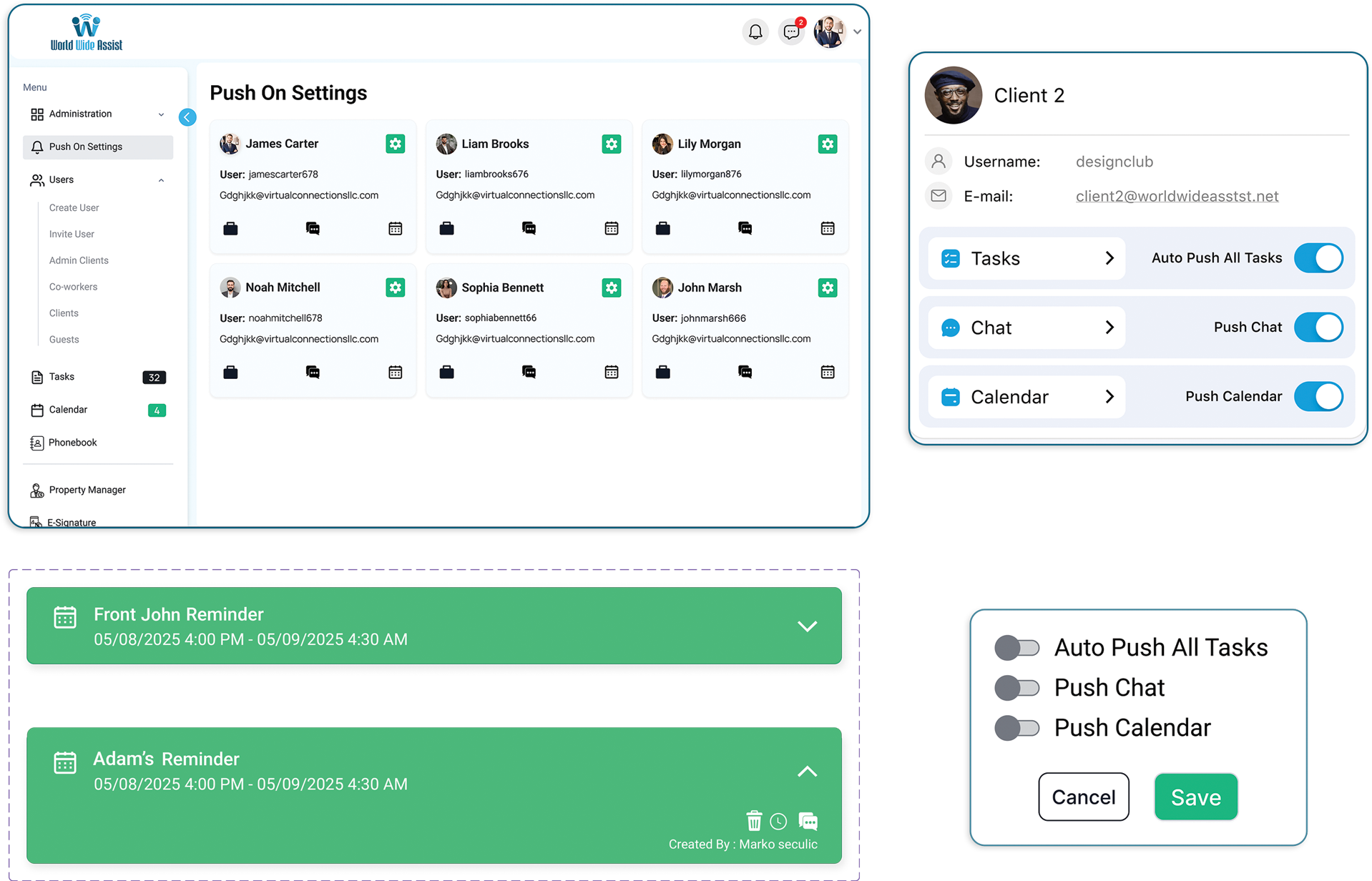
Push On Settings in World Wide Assist: a card for each Client with Auto Push All Tasks, Push Chat and Push Calendar switches

Push On Settings

Admin-Clients choose the Clients they want to follow and switch on alerts for that Client’s tasks, chat and calendar, so they get a notification whenever something changes there.

  • Task
  • Chat
  • Calendar

Phonebook

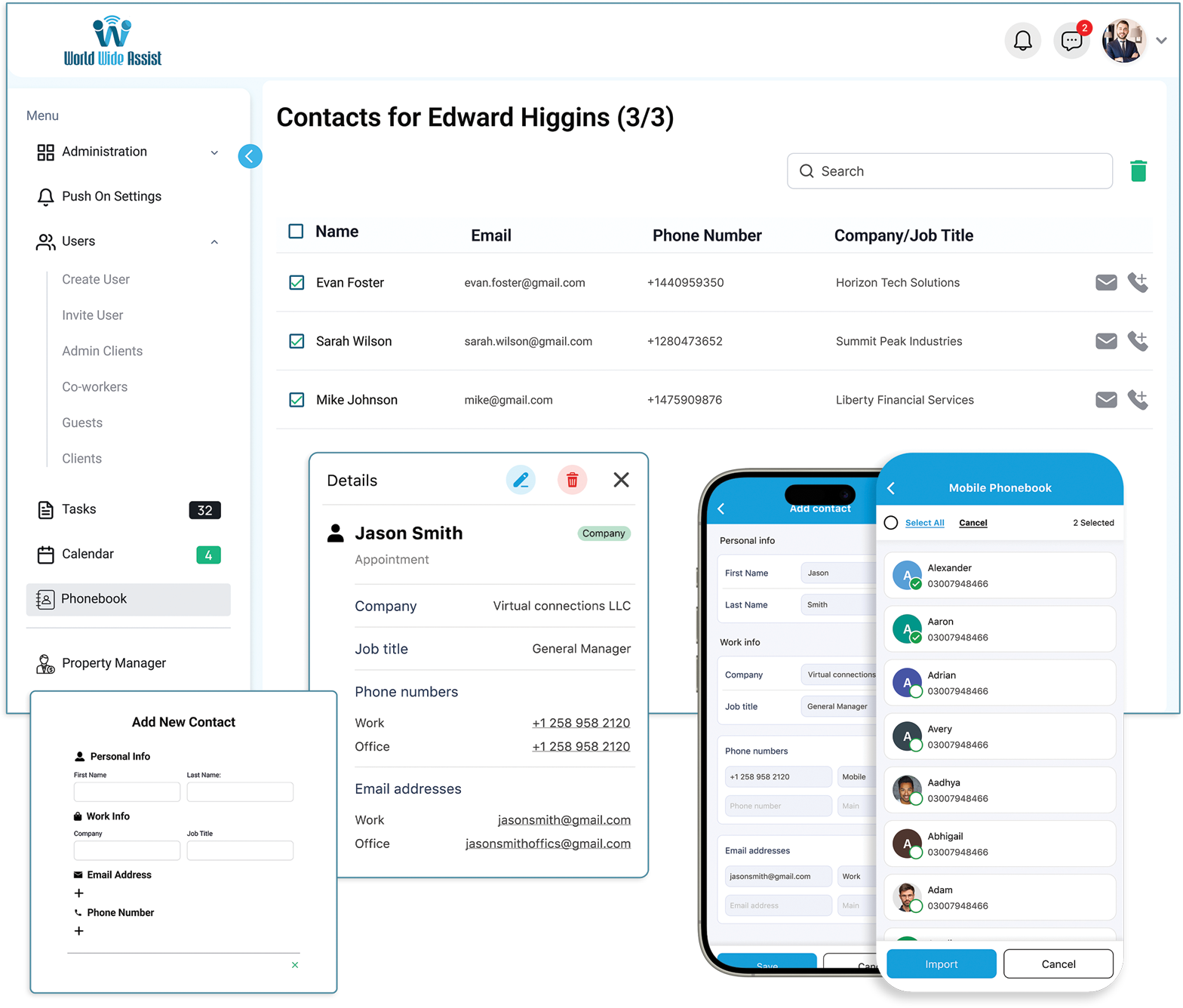
Keep one company phonebook for your team and a personal phonebook for every user. Add contacts in the app, import them from your phone or a vcf or Excel file, and call or email anyone straight from the list.

  • company phonebook
  • personal phonebook
Company-wide and personal contact directory in World Wide Assist
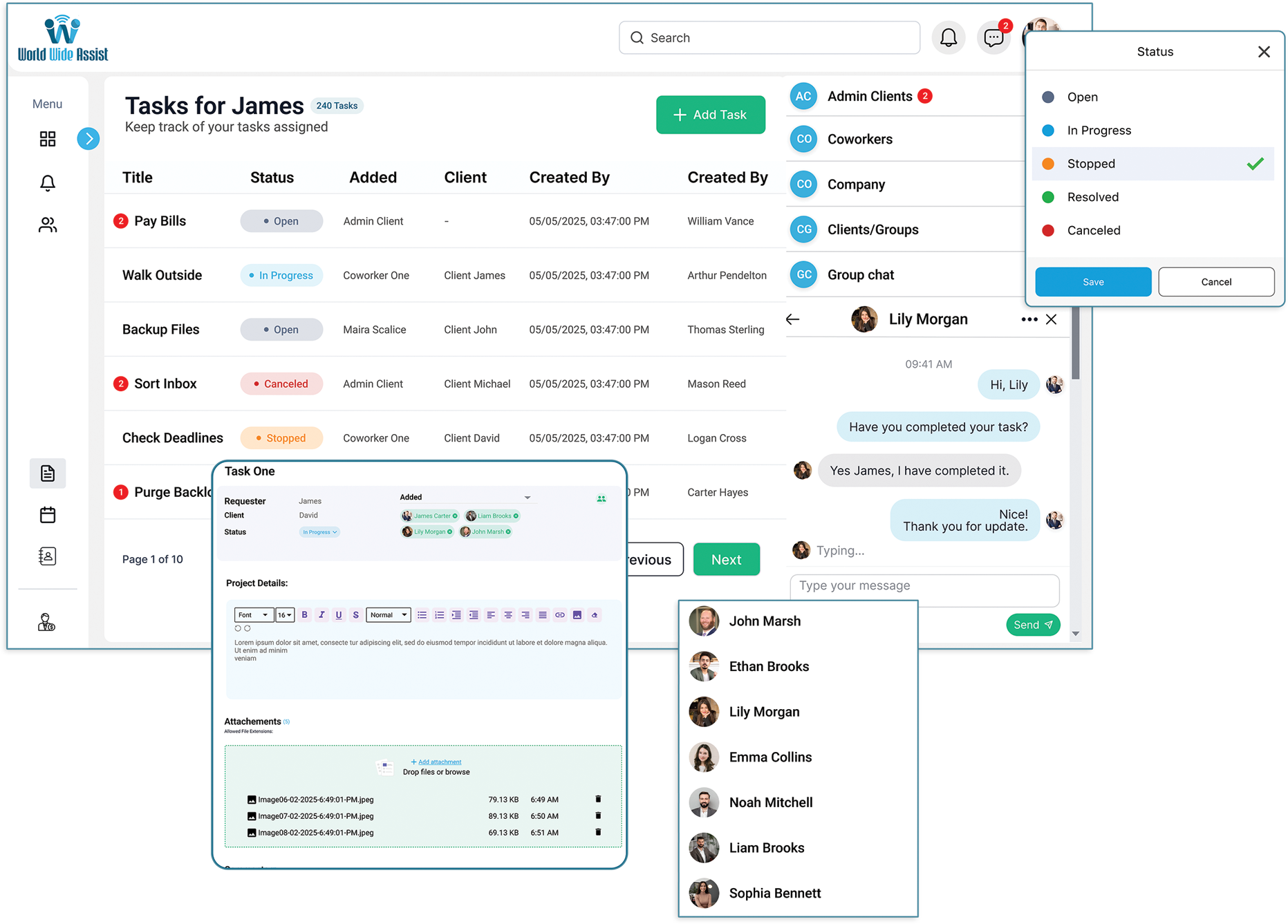
Task list with the chat panel open on the right in the World Wide Assist web app

Multitasking

In the web app on your computer, keep the chat panel open on the right while you work on tasks, the calendar or the phonebook in the center, and see unread messages at a glance.

  • user
  • chat
  • task

free for up to 3 users · no credit card needed